🛟 Recovery & resilience
NoCloud is built so that losing the server — or deliberately wiping it — is an inconvenience, not a catastrophe. This chapter is the contract behind that claim, and what to do when something is actually gone.
The three directories
Everything NoCloud needs lives in exactly three places, on the workstation and on the server
alike: nocloud-core (the code), nocloud-private (your instance: configuration,
secrets, certificates, each service's compose project, generated content — a private git
repository, and the durable copy of all of it), and your archive. Service data that
belongs to a container (Immich's photo library and database) lives in named Docker volumes.
Nothing hides in ~/.config, /opt or /usr/local; the only things outside the three
directories are Docker's own storage and OS registration points (/etc/systemd/system units,
~/Library/LaunchAgents on the workstation), which are pointers to payloads inside them.
Two consequences worth internalizing:
- The private repo is the backup. Anything generated on the server — an SSO secret, a renewed
certificate, an edited automation — is copied back to the workstation and committed
automatically (see harvest-back below). If the workstation dies too, cloning
nocloud-privateand running a deploy rebuilds the instance. - Deleting server directories is a supported operation. Every deploy starts with a
convergence pass (
scripts/heal_server.sh) that compares what should exist with what does, and restores whatever is missing from the workstation's copy: TLS certificates, the SSO configuration and its container, the nginx container, the portal, every service's compose project and its container, the working database, even the git checkouts themselves (the server never talks to GitHub — a deleted checkout is recreated and pushed to from the workstation).
Truth flows in two directions
- Workstation → server: code, nginx configuration, the portal's pages, systemd units — pushed
by
deploy_server.shand mirrored by the replication job. - Server → workstation: what mutates on the server — certificate renewals, the SSO
session/TOTP database, Home Assistant edits, user settings — pulled back and auto-committed by
scripts/harvest_back.shat the end of every deploy and before every mirror run.
The mirror excludes the server-truth paths precisely so it can never revert live state to a stale snapshot.
Local snapshots
scripts/backup_local.sh (daily, via launchd) writes hardlinked, date-stamped snapshots of the
archive, the catalog, the local state and the local mail dir to BACKUP_DEST (an external disk,
set in config/site.env); nocloud restore brings any of them back, archive included. The
doctor's backup snapshot check reads the destination, not the live files: it fails when no
destination is configured, when no snapshot exists or the latest one is older than the expected
cadence, and when the snapshot's database copy no longer passes an integrity check — so an
unplugged backup disk shows up as a red check the same day, not a year later. An unmounted disk
also makes the backup job itself exit non-zero and leave a backup_failed event in the journal.
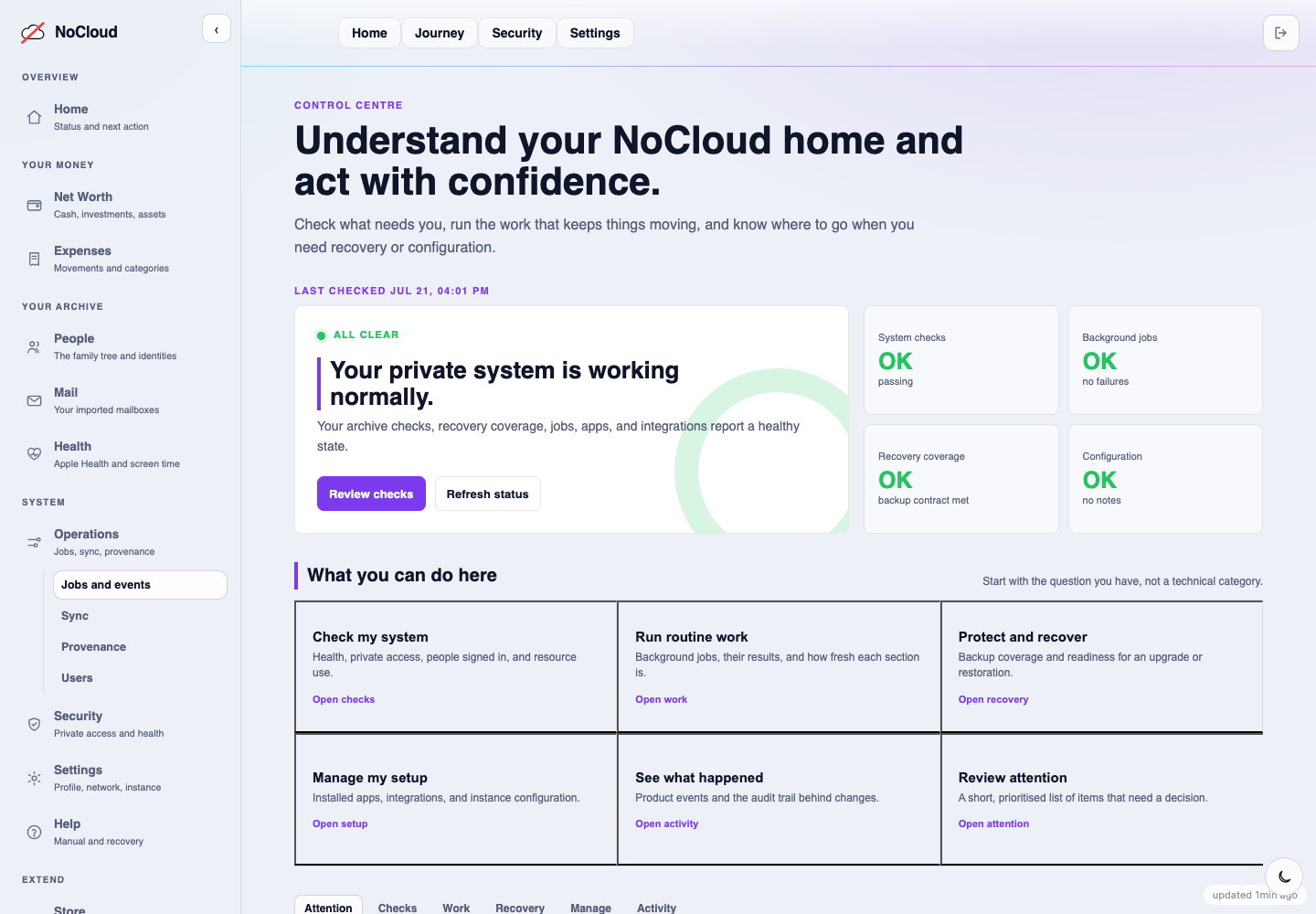
Recovery begins with a clear status: checks, background work and the available recovery route are all presented together. Screenshot: synthetic demo data.
When something is really lost
- The SSO admin password: generate a new hash and replace it in
authelia/config/users_database.yml, or re-runscripts/setup_authelia.sh(it never touches an existing user's password unprompted).scripts/authelia_recover.shrestores the whole SSO setup from the workstation copy;--generate-new(explicitly confirmed) rebuilds it from scratch when even the workstation copy is gone — every session and TOTP registration is invalidated, which is why it never does that silently. - A lost TOTP device: enroll directly from the server, no email round-trip:
docker exec nocloud_authelia authelia storage user totp generate <user> --config
  /config/configuration.yml
prints anotpauth://URI for your authenticator app. - Immich's data: the one thing heal cannot conjure back. The library volume holds real
photos; the database has a daily dump into
nocloud-private/immich_backup/(replicated to the workstation by Syncthing) — restore it withpsqlinto a freshimmich_pgdatavolume, and Immich re-generates thumbnails and machine-learning data from the originals. - Mail: the primary Maildir lives on the server (
nocloud-private/mail_pi), is served by Dovecot, backed up to the workstation'snocloud-private/mailby a scheduled rsync, and only ever appended to by the refresh job — deletions upstream never delete here.
If I'm gone
nocloud legacy generates build/legacy/envelope.html: one printable, self-contained page meant
for whoever has to pick this system up without the owner around to explain it — the three
directories and their real paths, where the portal and the server are, where backups live, and
the same plain-language version of the recovery steps above (nocloud restore,
scripts/heal_server.sh). It contains no passwords, keys or secrets by construction: it reads
only the non-secret settings from config/site.env (never IMMICH_KEY, SMTP_PASS_FILE, or any
other key config/schema.yaml marks secret: true), and leaves blank, dashed lines for the owner
to fill in by hand — the master password's location, 2FA recovery codes, a safe deposit box — so
nothing sensitive is ever typed into the file itself. Print it, keep the paper somewhere safe (a
lawyer, a relative, a safe deposit box), and regenerate it yearly, since servers and backup disks
change: nocloud legacy.
The envelope is a map back to a running system. For the case where nothing is running any
more — the server is long gone, nobody renewed the domain — nocloud freeze --out PATH exports
the archive itself: the family tree and every person's page (memorial pages included), the
financial history and its linked evidence, the provenance ledger, and every installed app's page,
as a self-contained offline directory. It bundles the break-glass envelope alongside it
(for-my-heirs.html) and opens in any browser decades from now with nothing more than
python3 start_archive.py — no server, no install, no dependency beyond Python's own standard
library. It deliberately does not copy the photo/video library itself (Immich's own store, with
its own backup, above) — freezing that too would make the export enormous; what it preserves is
the story and the record, not the raw media bytes. When Immich is configured, freeze offers
(interactively, or --include-immich yes/no) to bundle the existing local copy of its database
backup (<nocloud-private>/immich_backup/, already replicated to the workstation above) — small
enough to travel with the rest of the freeze, so restoring Immich later needs no live server, only
a fresh install and psql. Point --out at a mounted USB stick and keep it wherever the printed
envelope lives.
Uninstalling
scripts/uninstall_server.sh removes NoCloud's own pieces unconditionally, asks per-service
about the third-party services it installed (recorded in config/services.json at install
time), never offers the ones you already ran before NoCloud arrived, and touches user data only
behind an explicit --purge-data — the archive not even then. A half-finished install
uninstalls cleanly.