🧩 The sections, one by one
| Section | What it is |
|---|---|
| 🖼️ Photos | Library with faces, albums and search |
| 💶 Income & expenses | Spending by year/category with drill-down and reclassifier |
| 🏦 Net Worth | Net Worth, portfolio with live quotes, real estate |
| 🧾 Taxes | Tax returns across jurisdictions |
| 🏠 My home | Interactive floor plan + home network |
| 💡 Home automation | Home Assistant |
| 🩺 Health | Health metrics and screen time |
| Read and write email from your own mailbox (Roundcube) | |
| 💬 Message archive | Archived conversations, read-only |
| 🌳 Family | Read-first person profiles, family links and local archive connections; edit details gradually when useful |
| 🔄 Sync | Replicas across machines |
| 🛡️ Security | Connections, traffic and deployment checks (admin) |
| 🖥️ System | Runtime, jobs, backups and platform events (admin) |
| 📦 App Store | Install and manage optional modules and connectors |
| ⚙️ Settings | User control center |
| 📖 Help | This documentation |
| 👥 Users | User management (admins only) |
| 🗂️ Synced documents | Read-only browser for what syncs to the server |
People and family context
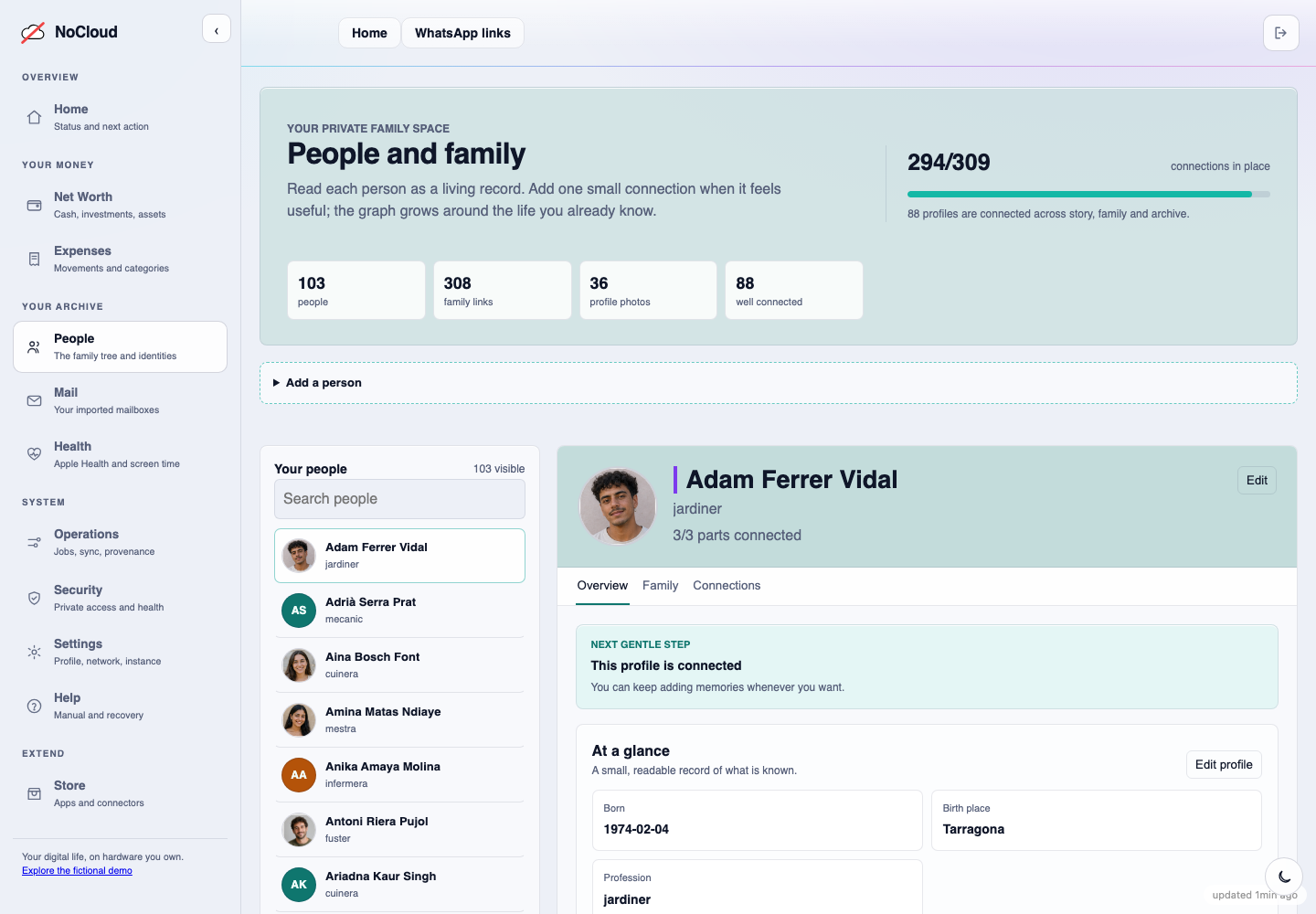
Family is a gradually completed local reference: a person, their relationships, a small biography and links to archive identities. Editing is available when needed, but reading and exploring come first. Screenshot: synthetic demo data.
Photos and albums
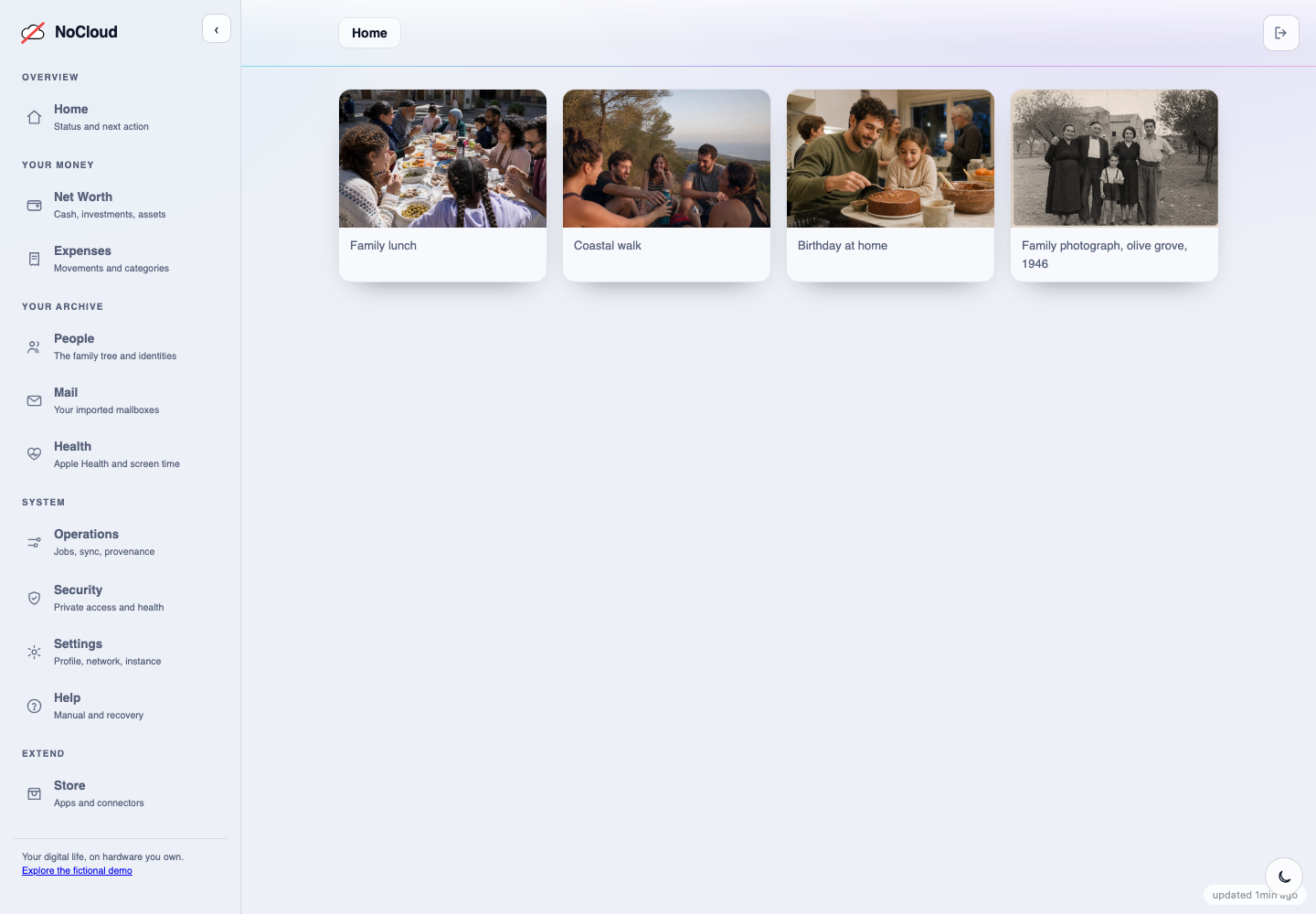
Imported media remains ordinary files in the archive. The photo library adds useful views such as albums, dates and people without becoming the only place where the originals exist. Screenshot: synthetic demo data.
System centre
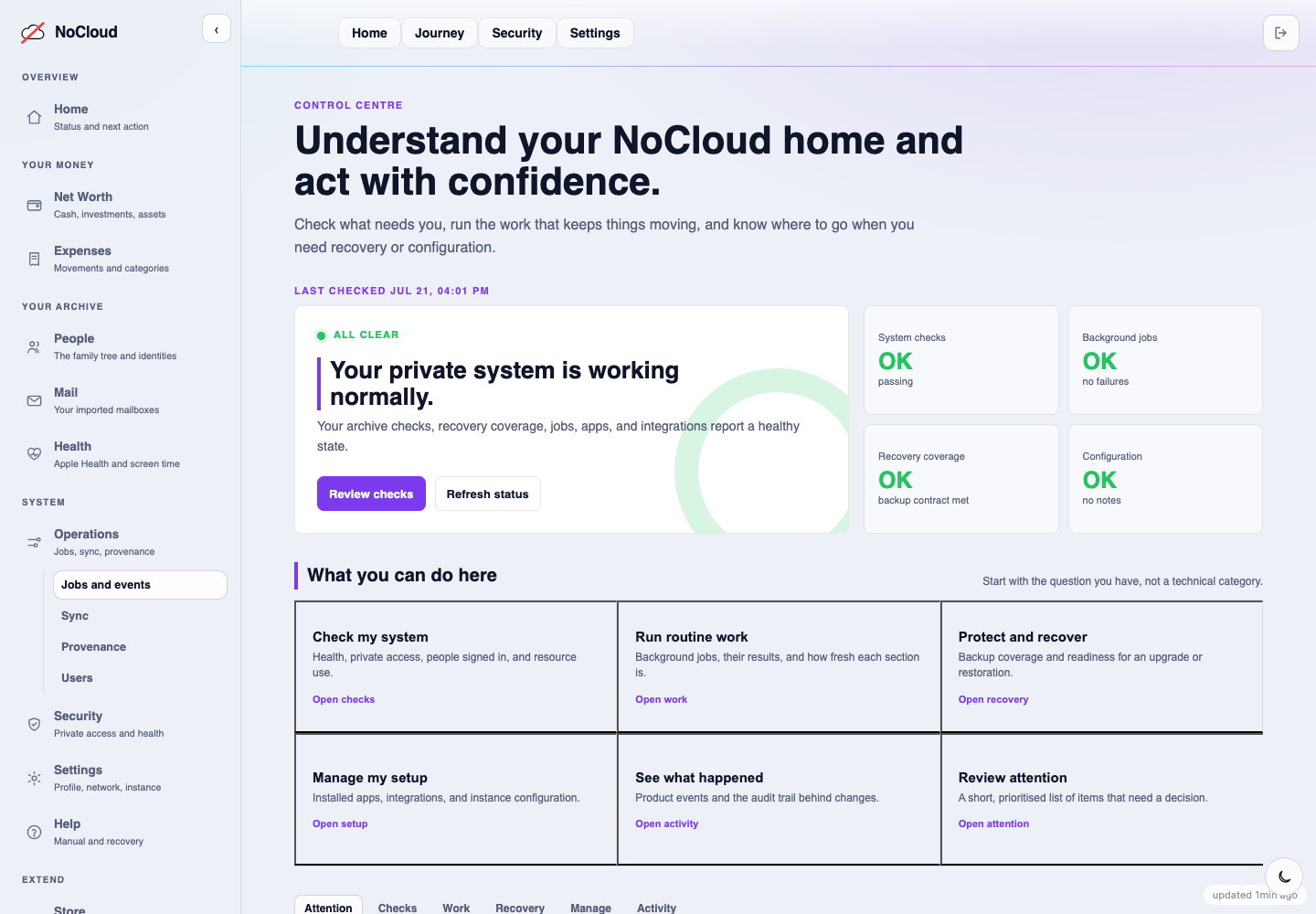
System is for understanding and acting: check the installation, run routine work, recover a known-good state, manage integrations, or review something that needs a decision. Screenshot: synthetic demo data.